01
Sell the instrument
Set a price, publish updates, and grow a catalog over time.
Offer it as a plugin, publish the code, or adapt the same instrument for hardware.
You probably started with a sound, a missing control, or a utility you were tired of rebuilding. Finishing it for yourself is an achievement. A release lets other people use it.
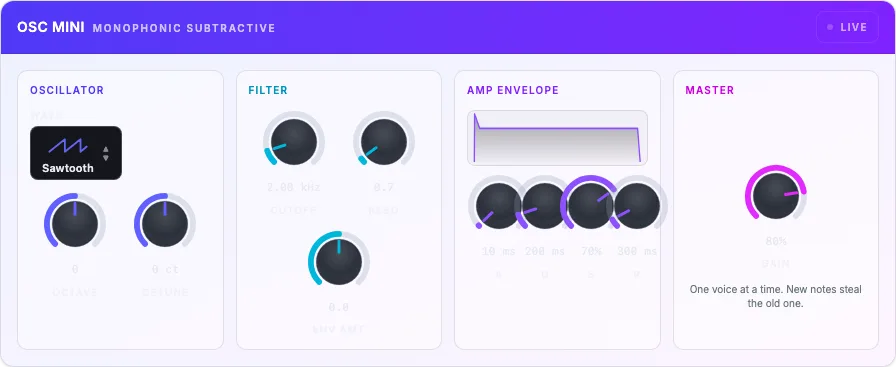
One instrument
browser → plugin → hardware
After it works, choose how to release it.
The best small audio tools often begin as personal solutions: a filter that lands where your hands expect, a sequencer that follows the way you think, or an instrument that does one thing beautifully.
Once it works, you have choices. Sell it. Give it away. Publish the source and invite collaborators. Keep the code private and share finished builds.
Choose the path that fits: sell it, give it away, publish the code, or keep the code private and sell ready-to-use versions.
Charge for the finished instrument, updates, presets, or support.
Give other musicians a tool you already trust.
Let people study it, improve it, and contribute.
Use a finished instrument to show what you can make.
A release can earn money, bring in contributors, grow your audience, or put a useful tool in more hands.
Turn a finished instrument into something people can use on their own.
01
Set a price, publish updates, and grow a catalog over time.
02
A browser demo lets people hear the instrument before they download it.
03
Share the code, presets, or a public release with people who want to help.
04
If it solved a problem for you, it may solve the same problem for someone else.
Choose a specialist store, your own site, or a public code page. Each release needs files, a demo, images, compatibility details, and a clear way for users to get help.
Apply to sell plugins and audio apps through a music software store. It handles product listings, downloads, updates, and customer support.
Best for
A finished product when you want the store to handle downloads and updates.
How it starts
Partner application and approval
Apply to sell your plugin through an established audio software retailer. You will need working files, a product page, screenshots, and support details.
Best for
Finished paid plugins with product and support pages ready.
How it starts
Resale request form and selective review
Create an account to list your product, share release news, and apply to sell through the KVR Marketplace.
Best for
Public plugins, free or paid.
How it starts
Developer account and editorial submission
Create a product page, upload builds, issue license keys, send updates, and sell directly to the audience you bring.
Best for
Independent launches, paid downloads, and small catalogs.
How it starts
Self-serve digital product publishing
Publish free, paid, donation-supported, or early-access versions with a page you control and a creator community nearby.
Best for
Unusual tools, free releases, or pay-what-you-want experiments.
How it starts
Self-serve creator publishing
Run the product page, checkout, email list, customer support, and update schedule yourself. Keep other listings when they help people find you.
Best for
An established audience, bundles, and long-term brand building.
How it starts
Your release process and commerce stack
Put your code on a public site under the license you choose, with a playable demo and clear instructions for contributions.
Best for
Shared utilities, teaching tools, research, and portfolio work.
How it starts
Your chosen public site and license
The plugin or app is only the start of a release. You also need a product page, playable demo, screenshots, presets, compatibility details, version history, and a clear way to get help.
Let people try the actual instrument before they download or buy it.
Name each file so buyers know which system it works on.
Let people hear the actual instrument before they install it.
Give the instrument a sound that shows what it does in a few seconds.
Show the real instrument and its controls in the product image and screenshots.
List the music programs, file types, systems, and known limits.
Explain the price and what buyers and contributors are allowed to do.
Tell existing users what changed and whether they need to update.
Give users one clear place to ask questions or report problems.
The Syntho creator marketplace is not part of the current private beta. Release through an established store, your own site, or a public code host using facts buyers can verify.
A browser demo is useful evidence, but it does not prove every native format. Name only the builds and systems you have actually tested.
Run the project checks and target-specific validation for every format you plan to distribute.
Use the real interface, playable demo, and representative presets. Do not advertise a mockup or an unverified target.
Publish compatibility details, a version number, changelog, license, known limits, and one support contact.
Confirm the current written sales permissions and long-term rights before taking payment from customers.
Keep the sound separate from the app or device. Then adapt the same instrument for a browser demo, desktop plugin, audio files, or hardware.
available now
Let anyone play the instrument without installing anything. A browser demo is the quickest way to hear it.
Use the same instrument in a desktop music program.
Ship a small app or create audio files for sound packs, tests, or other releases.
in progress
Bring the same instrument to Windows when your audience needs it.
Bring the instrument to Linux music programs, including Ardour.
Prepare the files needed for each system and publish them safely.
planned
Use the instrument in music apps on iPad and iPhone.
Reach Pro Tools users with AAX.
A focused product should not carry an entire workstation inside it. Each version gets only the sounds, controls, and files it needs.
That keeps each version focused on the instrument. You make it once; each version gets the files it needs.
01
Make the instrument, effect, or MIDI tool in the editor you already know.
02
Keep the sound separate from the browser, plugin, or device that runs it.
03
Add the controls, connections, memory, and case the device needs.
One instrument, ready for every place your users need it.
Build the instrument once, then bring it to a physical product with its own controls, connections, memory, and case. Design the device around the instrument instead of making it again from scratch.
Keep your attention on the sound and controls. Bring the same instrument to hardware instead of making it again from scratch.
Try it in the browser or a music program, then use the same idea in a device you can touch.
A hardware release should feel like the same instrument in a new form. The sound, controls, presets, and name should carry across.
Choose the kind of device that fits your product. The hardware version needs its own controls, connections, power, memory, and case.
Start with the instrument. Choose the device around it.
Pedals, desktop instruments, and Eurorack modules.
A maker ecosystem for compact instruments and effects.
Linux hardware for instruments and sensors.
A route to dedicated pedal hardware.
Small standalone instruments, installations, and custom cases.
Sell the finished version, publish the code, give it away, or share the code and sell ready-to-use versions.
Keep the code private, sell ready-to-use copies, set a price, and support your customers.
Choose a license, explain how to build it, and invite people to learn, improve, and contribute.
Share a useful core and sell ready-to-use versions, presets, content, or support.
Release it for free, accept tips, use it in your portfolio, or share it to help solve a problem.
You keep ownership of your module code.
The final license will explain what you can sell, how others can use the code, and whether any exclusivity applies.
Study working examples, build the interface, add your sound, create files for each system, and release it under clear terms.
The toolkit covers the path from first idea to a release ready for customers: reusable parts, a real interface, sound tools, files for each system, and everything people need to install and use it.
Finished instruments, effects, MIDI tools, interfaces, presets, and release examples you can study and adapt.
Controls and displays that keep interface work in familiar web tools.
A clear way to connect sounds, controls, events, saved settings, and files.
Add your own sound-building blocks when the included ones are not enough.
Create the files needed for each kind of plugin or app.
Confirm the current sales permissions, limits, and long-term rights in writing before charging customers.
We will share the price, update policy, sales rights, and support terms before version 1.0.
For now, explore the process and decide whether it fits your next instrument.
Your next release
Start with the tool you wish already existed. Build it in the browser, ship it as a plugin, then choose whether to sell it, share it, publish the code, or adapt it for hardware.